

If you’ve ever tried to place the same futures trade across five accounts at once, you already know the pain. Your fingers can’t move fast enough. Prices shift. One account gets a better fill than the others. It’s messy.
That’s exactly why a trade copier exists.
A trade copier is a tool that copies trades from one account to another, instantly and automatically. For futures traders running multiple funded accounts (especially with prop firms), this isn’t just a nice-to-have. It’s often the difference between scaling your trading and burning out from manual entry errors.
In this guide, I’ll walk you through what a trade copier actually does, how it works, how to pick one, and how to set it up without shooting yourself in the foot. I’ve tested a few of these myself, so I’ll throw in some real talk along the way too.
What Is a Trade Copier, Really?
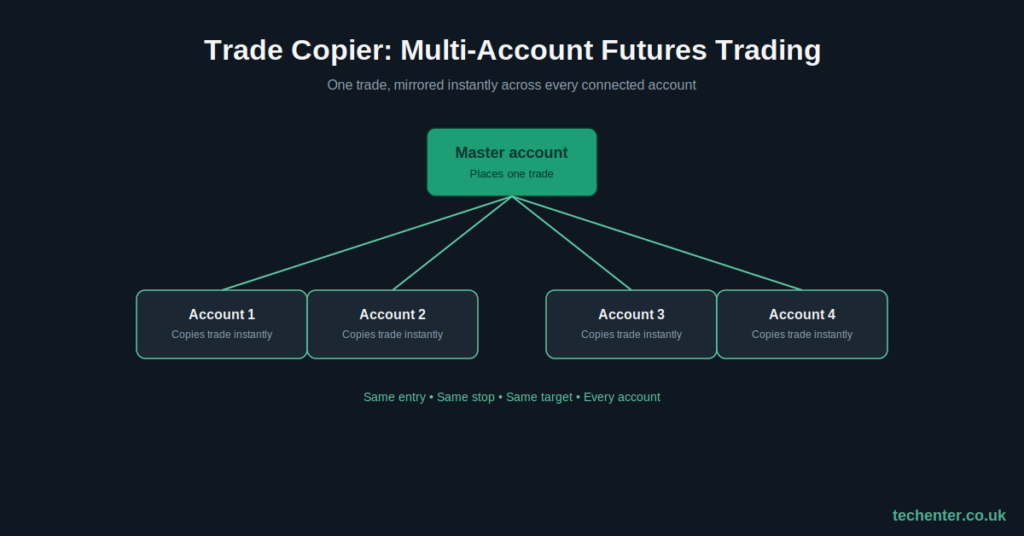
At its simplest, a trade copier is software that mirrors trades from a “master” account to one or more “slave” (or “follower”) accounts.
You place a trade once. The copier handles the rest.
Say you buy 2 contracts of the E-mini S&P on your main account. If you’ve got the copier linked to three other funded accounts, it opens the same trade on all of them, almost instantly.
No retyping. No lag between accounts. No missing a fill because you were still clicking on account number three.
Why Traders Use Trade Copiers for Multi-Account Futures Trading
This isn’t just about saving time, although that’s a big part of it.
Here’s the real reason traders lean on copiers:
- Consistency. Every account gets the exact same entry, stop, and target.
- Speed. Futures markets move fast. A few seconds of delay can mean a worse fill.
- Scale. Prop firm traders often run multiple evaluation or funded accounts at once. Doing that by hand just isn’t realistic.
- Reduced errors. Manual trading across accounts increases the odds of a typo, wrong contract size, or missed exit.
I remember the first time I tried managing three accounts manually during a fast-moving NQ session. I missed an exit on one account by almost 40 points because I was still clicking through the other two. That mistake alone cost more than a month of a trade copier subscription. Lesson learned.
How Does a Futures Trade Copier Work?
Most copiers fall into two basic setups.
Master-Slave Setup
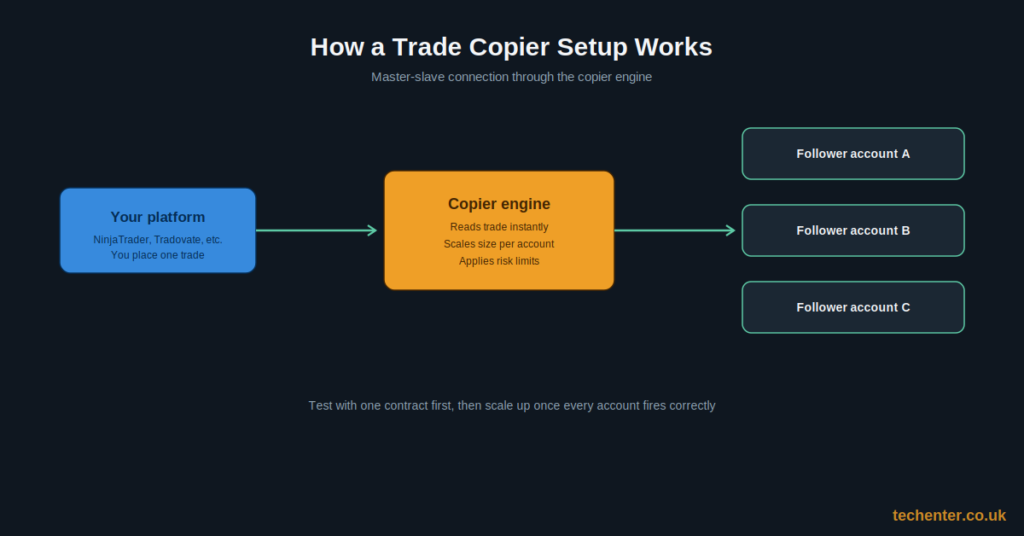
This is the classic model. You designate one account as the “master.” Every trade you place there gets copied to the connected “slave” accounts.
Some copiers let you scale position size per account. So if your master trades 1 contract, a slave account can be set to copy 2, or half a contract if it supports fractional scaling.
Cloud-Based Copiers
Newer copiers run through the cloud instead of a local desktop connection. This means:
- You don’t need your computer running 24/7.
- Trades sync even if one platform briefly disconnects.
- You can copy across different brokers, not just the same platform.
Cloud copiers tend to cost more, but for traders juggling multiple prop firms, the flexibility is usually worth it.
Choosing the Right Trade Copier for Your Setup
Not all copiers are built the same, and picking the wrong one can cause more headaches than it solves.
Key Features to Look For
- Platform compatibility. Does it support your trading platform (NinjaTrader, Tradovate, Rithmic, etc.)?
- Latency. How fast does it copy trades? Even half a second matters in futures.
- Position scaling. Can you set different lot sizes per account?
- Risk controls. Look for a max daily loss or max contract limit per account.
- Reliability. Check reviews for dropped connections or missed trades. This is the one area where a “cheap” copier can really burn you.
If you’re new to comparing platforms in general, our post on [Related: How to Choose a Futures Broker] covers a lot of the same evaluation logic.
Step-by-Step: Setting Up Your First Trade Copier
Here’s a simple walkthrough for getting started.
- Pick your master account. This should be the account you trust most and trade most carefully.
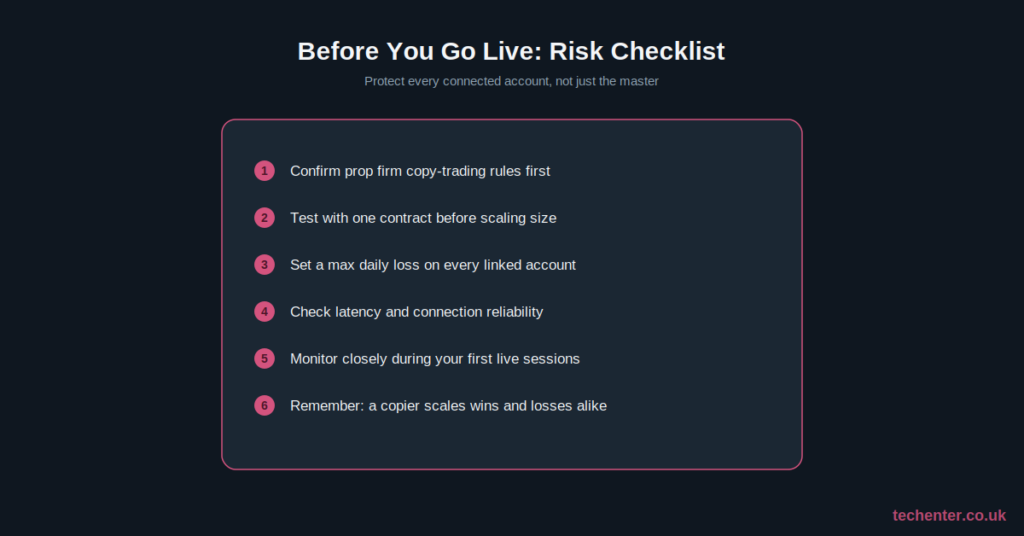
- List your slave accounts. Make sure each one meets the broker or prop firm’s rules for copy trading (some firms restrict this, so double-check).
- Install and connect the copier software. Follow the copier’s setup guide to link each account.
- Set position sizing rules. Decide if slave accounts mirror exact size or a scaled version.
- Test with a single contract first. Don’t go live with full size right away. Run a small test trade and confirm all accounts fire correctly.
- Set a daily risk cap. This protects every linked account if something goes wrong on the master.
- Monitor the first few sessions closely. Even reliable copiers can hiccup during high-volatility news events.
Once you’re confident it’s working smoothly, you can step back and let it run in the background.
Common Mistakes to Avoid
A few things trip up new users again and again:
- Skipping the test phase. Don’t assume it’ll work perfectly on the first try.
- Ignoring prop firm rules. Some firms have strict rules on copy trading between accounts. Always check before you connect anything.
- Forgetting slippage differences. Different brokers can fill at slightly different prices, even on copied trades.
- No risk limits. If your master account has a bad day, unprotected slave accounts will have a bad day too.
Risks and Limitations of Trade Copiers
Trade copiers aren’t magic. They still depend on your internet connection, your broker’s execution speed, and your own trading decisions.
If your master trade is a bad one, every connected account copies that mistake too. A copier scales your strategy, both the wins and the losses.
CME Group makes this clear in its own risk materials: futures and swaps trading isn’t right for every investor, and because you only put up a fraction of a contract’s value, it’s possible to lose more than what you originally deposited (CME Group, cmegroup.com). That risk doesn’t disappear just because you’re using automation. If anything, it multiplies across every account you’re copying to.
It’s also worth checking your prop firm or broker’s specific policy on multi-account copying before you set anything up, since rules vary widely between firms.
Frequently Asked Questions
Is using a trade copier legal? Yes, in most cases. But some prop firms restrict or ban copy trading between funded accounts, so always check the firm’s rules first.
Do trade copiers work across different brokers? Some do, especially cloud-based ones. Desktop copiers usually work best within the same platform or broker.
Can a trade copier guarantee identical fills? No. Slippage and latency can cause small differences between accounts, even with a fast copier.
Conclusion
A trade copier can genuinely change how you manage multiple futures accounts. It saves time, reduces manual errors, and helps you scale without losing your mind clicking between platforms.
But it’s not a shortcut around good risk management. Test it carefully, set your limits, and always know the rules of the accounts you’re copying into.
If this guide helped, I’d love to hear about your own experience with trade copiers in the comments. And if you know another trader juggling multiple accounts, go ahead and share this post. It might save them the same headache it saved me.
For More Information, please visit:Techenter.co.uk