
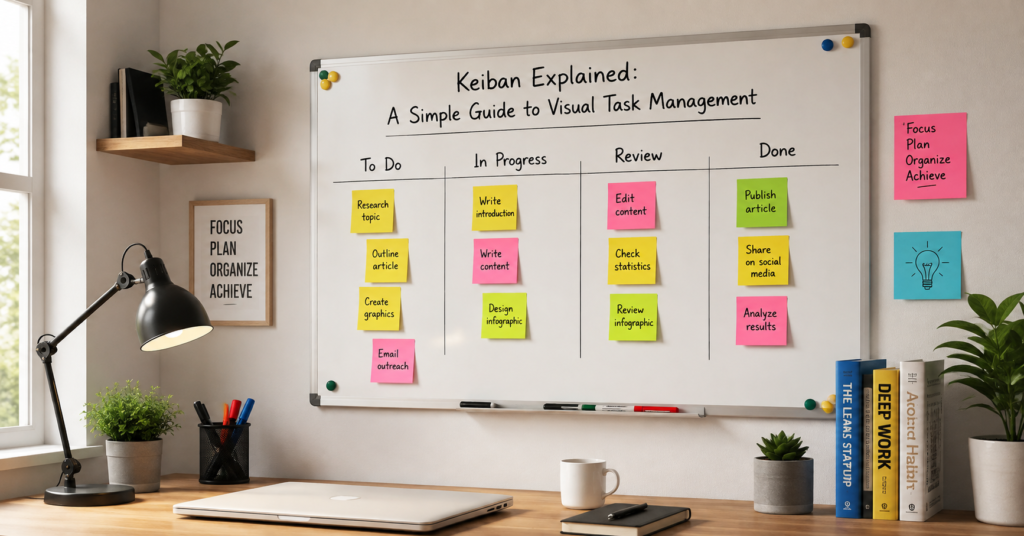

Ever feel like your to-do list is a never-ending monster? You write tasks down, but they just sit there, staring back at you. I used to spend hours staring at complex spreadsheets, feeling completely overwhelmed by my daily workload. Then, I discovered a hidden gem from the world of lean manufacturing that changed everything for me.
Welcome to my simple guide to Keiban Explained: A Simple Guide to Visual Task Management. In this post, we will unpack what this system is and how it can save your sanity. If you want to clear the mental clutter and actually finish your projects, you are in the right place. Let’s get into it.
What is a Keiban Anyway?
Let’s break down the word first. “Keiban” (often associated with its famous cousin, Kanban) comes from Japanese principles of visual management. While Kanban means “signboard,” a Keiban specifically refers to a “context board” or a visual scheduling notice used to track specific, immediate tasks.
Think of it as the ultimate dashboard for your daily workflow. Instead of hiding your tasks inside an app or a closed notebook, you put them out in the open. It uses physical cards, colors, and columns to show exactly what needs to happen right now.
Why Visualizing Your Work Matters
Our brains love pictures. Research shows that human beings process visual data thousands of times faster than text. When you write a list, your brain has to read and process every single line to understand the big picture.
With visual task management, you get an instant snapshot. You can see what is running smoothly and what is stuck. It takes the pressure off your memory and lets you focus on doing the actual work.
The Core Principles of Visual Task Management
You don’t need a degree in project management to use this system. It relies on a few simple, human-centric rules that anyone can set up in ten minutes.
1. Visualize the Workflow
You cannot manage what you cannot see. Your first step is to map out the stages your work goes through. For most of us, this is as simple as “To Do,” “Doing,” and “Done.”
2. Limit Your Work in Progress (WIP)
This is where the magic happens. Multi-tasking is a giant trap. By limiting how many tasks can live in your “Doing” column at one time, you force yourself to finish one thing before starting another.
3. Manage the Flow
Watch how tasks move from left to right. Are things getting piled up in the middle? That is a bottleneck. Finding these blocks helps you fix your schedule before you fall behind.
How to Set Up Your First Keiban Board
Ready to build your own? You can do this digitally using tools like Trello, or you can go old-school with a physical wall. Personally, I love using a real whiteboard because moving a physical sticky note gives a massive hit of dopamine.
Step 1: Choose Your Tool
Pick a setup that fits your lifestyle. If you work at a desk all day, a physical board on your wall is amazing. If you travel or work on a team, a digital app is your best bet.
Step 2: Create Your Basic Columns
Draw out your stages. Start simple with these four columns:
- Backlog: Every idea or task that needs doing eventually.
- To Do: The specific tasks you choose to focus on this week.
- In Progress: What you are actively working on today (keep this under 3 items!).
- Done: Your wins for the week.
Step 3: Write Down Your Tasks
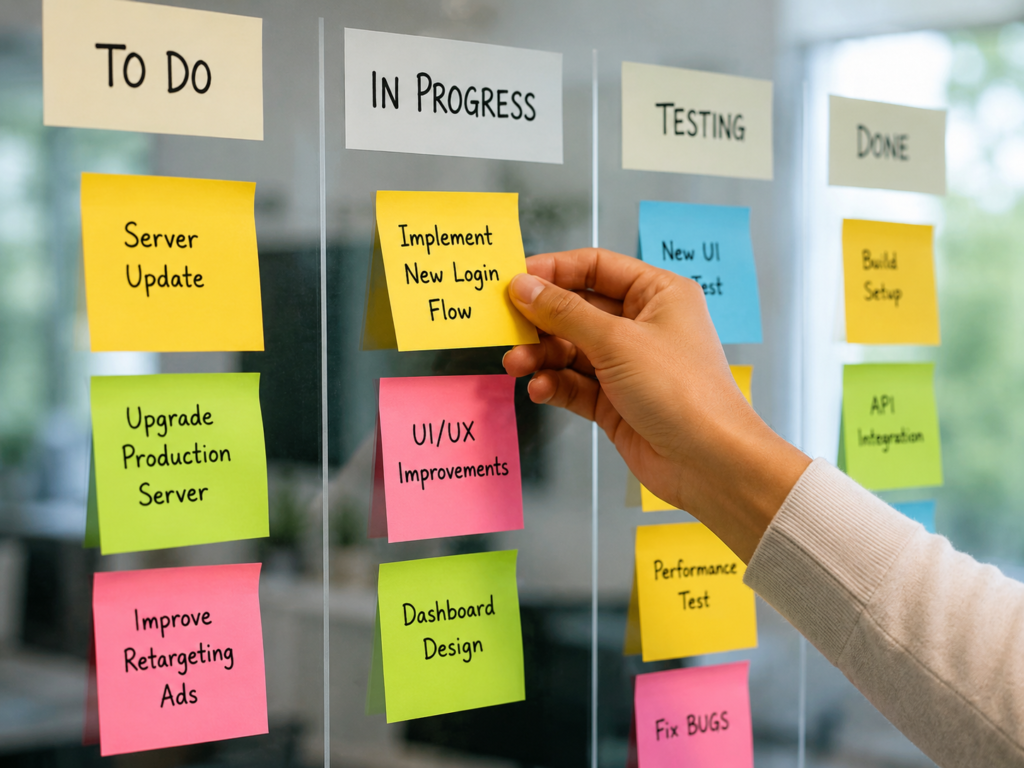
Grab your sticky notes or open your digital app. Write one single task per card. Use action verbs like “Write email draft” instead of just “Emails.” This makes it much easier to start moving.
A Personal Confession: How This Saved My Sanity
I used to think I was great at multitasking. I would open twenty browser tabs, start writing an article, answer a client message, and try to organize my calendar all at once. By 5:00 PM, I was completely exhausted, yet I hadn’t actually finished a single project.
Setting up a simple visual board felt almost too basic to work. But the first time I forced myself to only have one note in my “In Progress” column, my focus shifted. I stopped jumping around. I finished the article, slid the note to “Done,” and felt an incredible sense of relief. It proved to me that slowing down and focusing on less actually helps you achieve more.
Real-World Examples of Keiban in Action
This system isn’t just for software developers or factory floors. It works for everyday life and business. Here are a few ways you can apply it right now.
For Content Creators
If you run a blog or a YouTube channel, your columns could match your creation steps. Try using: Idea, Outlining, Writing, Editing, and Published. This keeps your pipeline moving consistently.
For Small Business Owners
Track your customer journeys. Use columns like: New Lead, Proposal Sent, Project Active, and Invoiced. You will never forget to follow up with a paying client again.
For Personal Life
You can even use this for grocery shopping, meal prepping, or home renovations. It keeps family projects organized without anyone needing to constantly ask, “What should I do next?”
Simple Tips to Maintain Your Board
A tool is only good if you actually use it. It is very easy to set up a beautiful board and then ignore it after three days. Here is how to make the habit stick.
- Do a morning review: Spend five minutes every morning looking at your board before you open your email.
- Keep it clean: Clear out your “Done” column every Friday afternoon to celebrate your progress.
- Be honest: If a task has been sitting in your “To Do” column for three weeks, delete it or move it back to the backlog.
If you want to read more about organizing your business life, check out our guide on [Internal Link Placeholder: 10 Ways to Declutter Your Digital Workspace]. For an even deeper dive into the roots of visual manufacturing systems, you can explore the Lean Enterprise Institute to see how global brands use these exact same concepts.
Wrapping It Up
Managing your time shouldn’t feel like a chore. By using Keiban Explained: A Simple Guide to Visual Task Management, you take the guesswork out of your day. You stop wondering what to work on next and start seeing real progress.
Start small today. Grab three sticky notes, draw three columns on a piece of paper, and map out your afternoon. You will be amazed at how much lighter your mind feels.
What does your current to-do list look like? If you want to try this out, tell me:
- Do you prefer physical tools (whiteboards, paper) or digital apps?
- What is the biggest project causing you stress right now?
I can map out a custom column layout just for your specific project!
For More Information, please visit:Techenter.co.uk