
I’ll admit it. I used to think browser games were a thing of the past. Remember those clunky Flash games from 2008? Yeah, I thought that era was long gone.
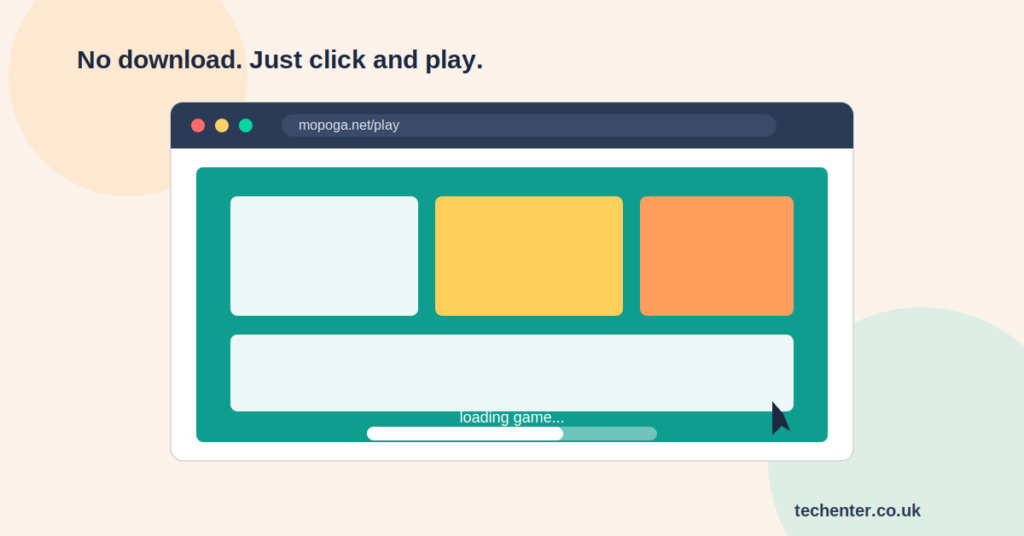
Then a friend sent me a link to Mopoga last month, and I got sucked in for an hour during my lunch break. No app download. No storage warning is popping up on my phone. Just click and play.
If you’ve heard the name Mopoga and you’re wondering what it actually is, how it works, and whether it’s worth your time, you’re in the right place. I’m going to walk you through everything I’ve learned, including a few things I wish someone had told me before I started clicking around.
What Is Mopoga, Exactly?
Mopoga is a browser-based gaming platform. That means you play games directly through your web browser, whether that’s on your phone, tablet, or laptop. There’s nothing to install and no app store required.
Here’s the part that trips people up, though. There isn’t just one Mopoga site. A few different domains are using the name, and they don’t all offer the same thing.
The casual gaming versions (like mopoga.net and similar sister sites) focus on the kind of games you’d expect from a mobile arcade: puzzles, racing, strategy, and quick action titles. This is the version most people are actually looking for when they search for “Mopoga,” and it’s the one I’ll focus on in this guide.
A quick tip before you go searching: double-check the URL before you click. Since the name is used across a few different sites with different content, it’s smart to know exactly where you’re landing.
How Browser Gaming Actually Works
Browser games run on something called HTML5. Without getting too technical, this just means the game lives inside your browser tab instead of on your device’s hard drive.
Your browser loads the game code, and you play it right there. No installer, no update prompts, no digital clutter. It’s basically the same idea as watching a YouTube video, except you’re controlling the action instead of just watching it.
Why Browser-Based Gaming Has Made a Comeback
I mentioned earlier that I thought this style of gaming was dead. I was wrong, and here’s why it’s actually thriving again.
- Zero storage stress. Phone storage is always tight. Browser games skip that problem completely.
- Instant access. You click a link, and you’re playing within seconds.
- Cross-device flexibility. Start a puzzle on your laptop, finish it on your phone during a coffee break.
- No account pressure. Most casual browser platforms let you play as a guest, with sign-up only needed if you want to save progress.
Honestly, the “no download” part is what sold me. I don’t love clearing out apps I only used twice, and browser gaming sidesteps that whole headache.
Getting Started: A Step-by-Step Walkthrough
If you want to try browser gaming for yourself, here’s the basic process. It’s the same general flow across most casual browser gaming sites, not just Mopoga.
- Open your browser (Chrome, Safari, or whatever you normally use).
- Go to the site’s homepage and browse the game categories.
- Pick a game that catches your eye. Check the thumbnail and short description first.
- Hit “Play Now” and wait a few seconds for it to load.
- Play directly in your browser tab, no extra steps needed.
- If you want to save your progress or track scores, create a free account.
That’s really it. There’s no hidden trick here, which honestly feels refreshing in a world where every app wants your email before you even see the home screen.
Popular Game Categories You’ll Find
Browser gaming platforms like this usually organize games into a few familiar buckets:
- Puzzle and brain teaser games
- Racing and driving titles
- Action and arcade classics
- Strategy and simulation games
- Quiz and trivia formats
If you’re new to the space, I’d suggest starting with puzzle games. They load fast, they’re low-pressure, and they’re a great way to test how your device handles browser gaming before committing to something more involved.
Tips for Safe and Smart Browser Gaming
I’ve picked up a few habits over the years that make browser gaming safer and more enjoyable. None of this is complicated, but it’s easy to skip if you’re in a hurry.
- Stick to the official domain. Bookmark it so you don’t have to rely on search results every time.
- Avoid pop-ups that ask for personal info. Legitimate free game sites rarely need more than a username.
- Use an ad blocker if pop-up ads bother you. Free platforms often run on ad revenue, so some ads are normal, but excessive pop-ups are a red flag.
- Check that your browser is updated. Older browser versions sometimes struggle with newer HTML5 games.
- Keep an eye on kids’ screen time if they’re the ones playing. Browser games load fast, which can make it easy to lose track of time.
For a deeper look at how HTML5 gaming works under the hood, Mozilla’s developer documentation is a solid, non-technical starting point.
How Mopoga Compares to Cloud Gaming Services
People sometimes lump browser gaming in with cloud gaming platforms like GeForce Now or Xbox Cloud Gaming, but they’re not really the same thing.
Cloud gaming streams full, graphics-heavy console and PC games to your device, and it usually needs a subscription plus a strong internet connection. Browser platforms like Mopoga run lighter, simpler games directly in the browser, and they’re typically free with no subscription required.
If you’re after a quick, casual break during your day, browser gaming wins on convenience. If you want AAA console titles, cloud gaming is the better fit. They solve different problems, so it’s not really an either-or situation.
My Honest Take
I’m not going to pretend that browser games replace a proper gaming console. They don’t, and that’s fine. What they’re actually good for is filling those small pockets of downtime: waiting for a bus, sitting through a slow meeting agenda, or just needing a five-minute mental reset.
That’s exactly the niche Mopoga-style platforms fill, and honestly, I’ve come to appreciate having that option without needing to free up phone storage first.
Wrapping It Up
Browser-based gaming has quietly made a real comeback, and platforms carrying the Mopoga name are part of that shift. No downloads, no storage stress, and a decent variety of casual games to pick from.
Just remember to double-check which domain you’re landing on, since the name covers more than one type of site. Stick to what you’re actually looking for, and you’ll have a smooth, easy experience.
Have you tried browser gaming yourself? I’d love to hear which games you got hooked on. Drop a comment below, share this with a friend who’s still downloading five apps a week, and subscribe if you want more honest, no-fluff guides like this one.
For More Information, please visit: Techenter.co.uk